

AI-Assisted SaaS Dashboard Prototype
Project Summary
-
Role: UX/UI Designer
-
Focus: AI-assisted prototyping + interaction design
-
Tools: Figma Make, Figma, AI-assisted workflow
-
Outcome: High-fidelity interactive prototype created rapidly to simulate real product behavior
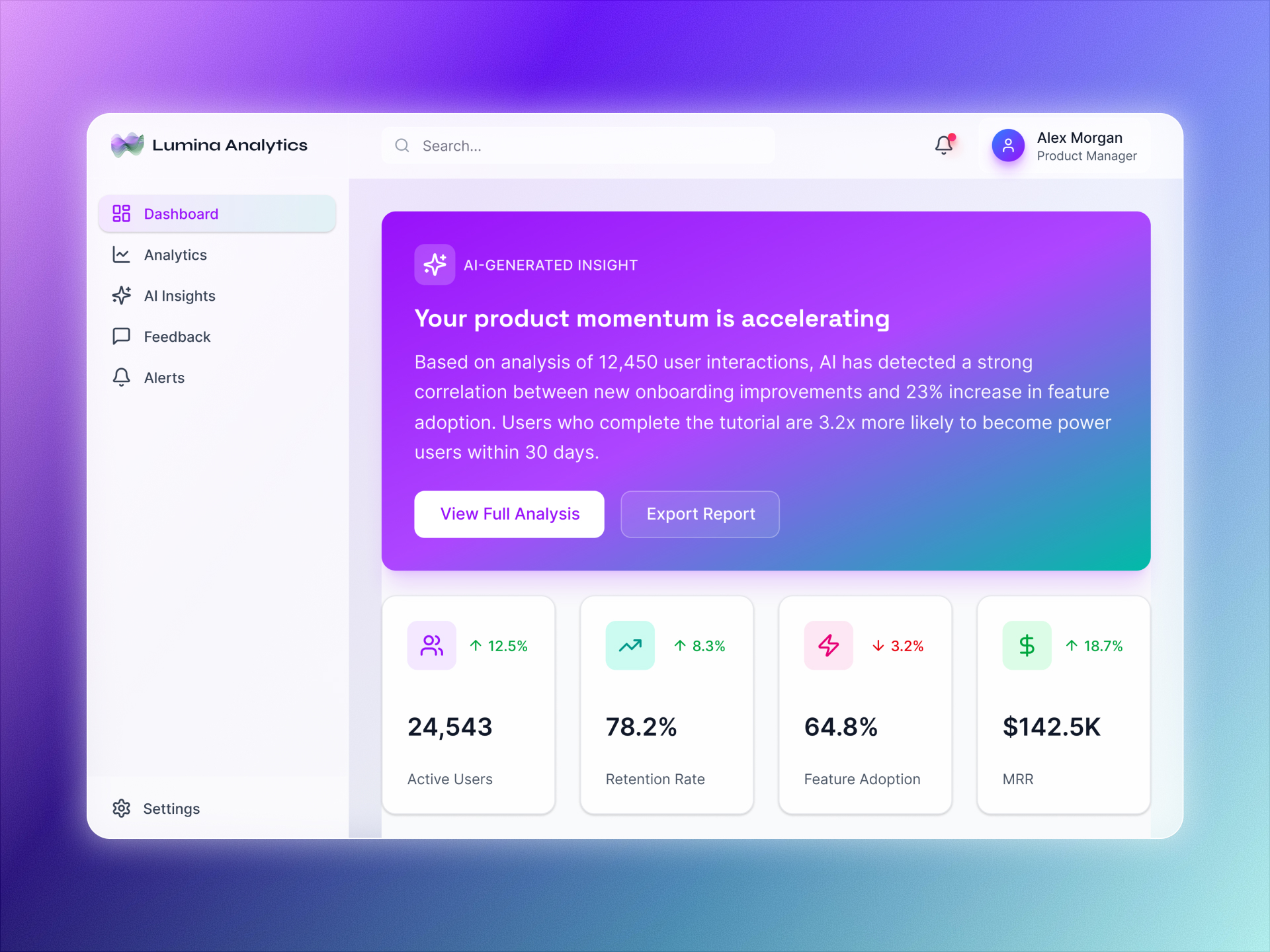
Overview
This project explores how AI-assisted tools can accelerate the creation of high-fidelity product prototypes. The goal was to move from concept to a realistic SaaS dashboard experience quickly, while maintaining usability, structure, and design system consistency.
The Challenge
Designing realistic product prototypes is often time-intensive, making it difficult to iterate quickly or test ideas early. Many AI tools can generate UI, but lack structure, interaction depth, and system consistency.
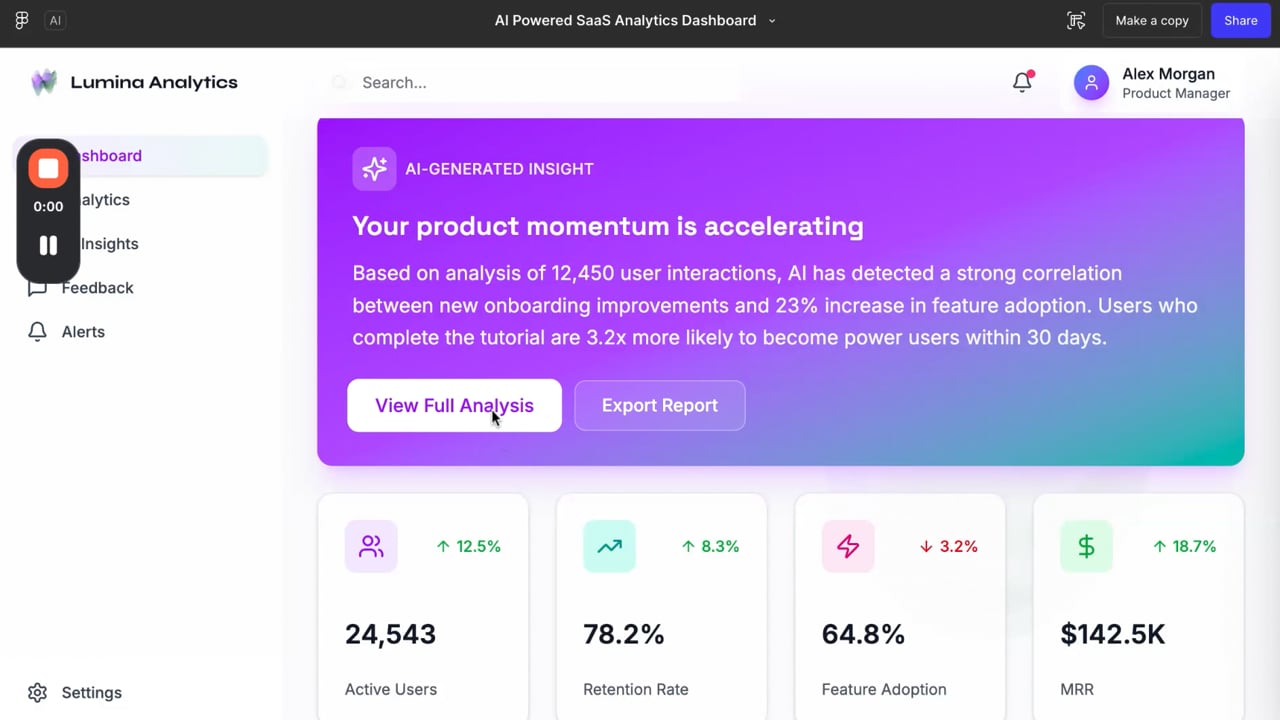
AI-Assisted Workflow
AI-Assisted Interface Scaffolding
Generated initial layout and interface structure using Figma Make
Information Hierarchy & UX Refinement
Refined hierarchy, spacing, and usability manually
Design System & Component Structuring
Extracted reusable components (cards, buttons, navigation)
Interactive Flow & Prototype Logic
Built interaction logic using Figma prototyping
Dynamic State & Behavior Simulation
Simulated real product states (loading, selection, feedback)
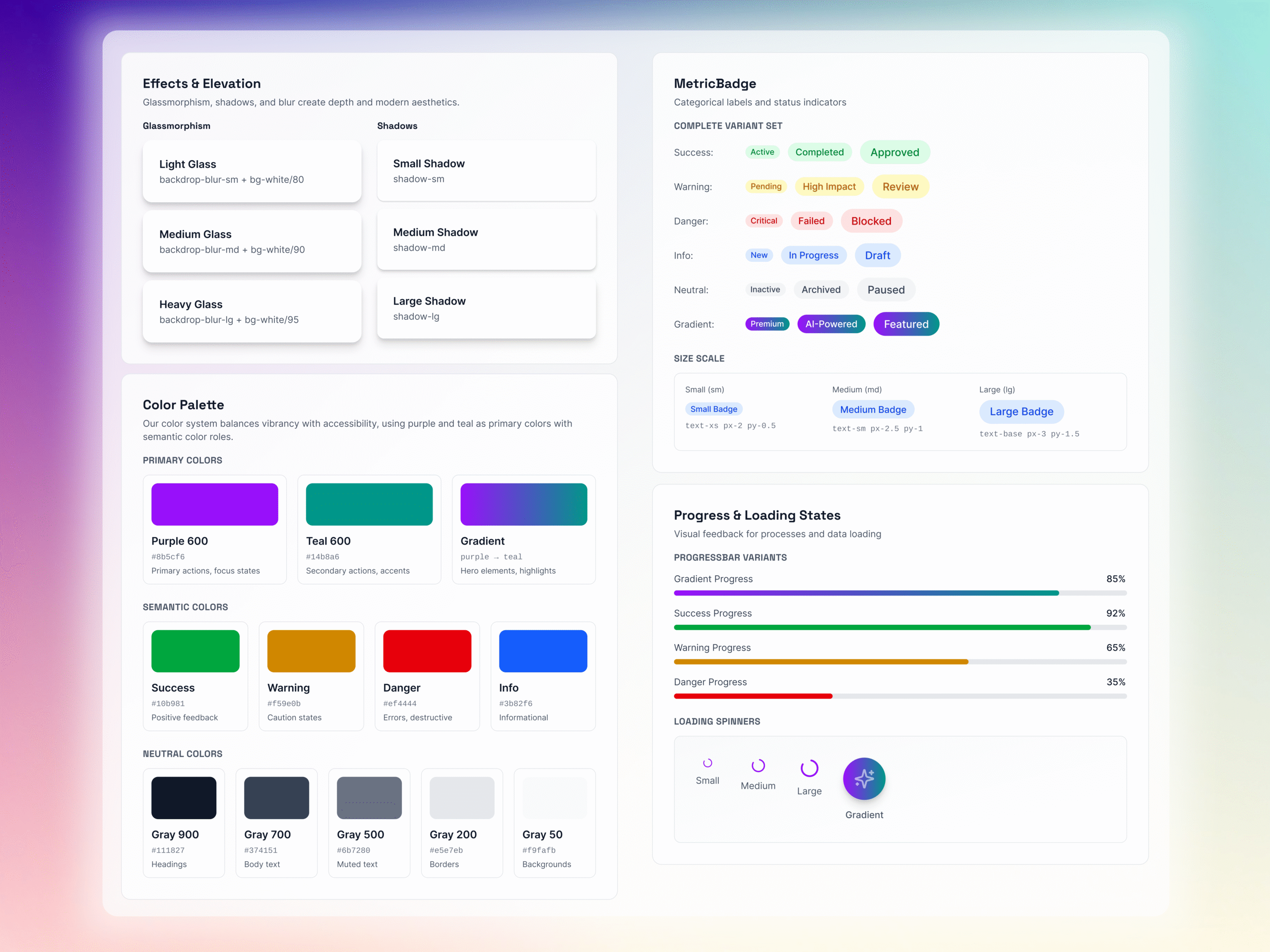
System Thinking
To ensure consistency and scalability:
-
Created reusable components for cards, metrics, and navigation
-
Defined consistent spacing and layout rules
-
Used variants for different UI states (default, active, selected)
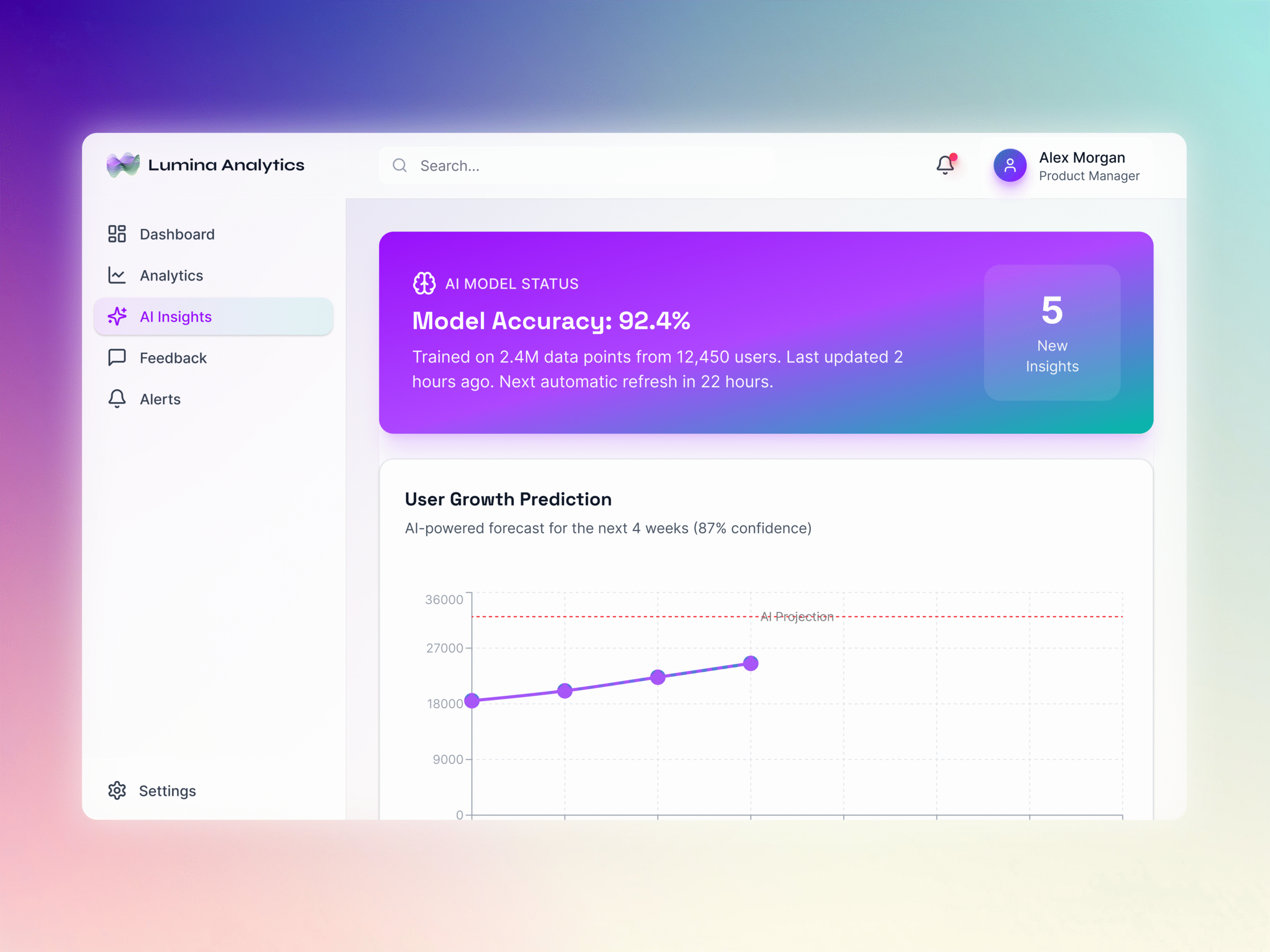
This project demonstrates my approach to designing modern, data-driven product experiences that prioritise clarity, usability, and scalability.
The dashboard was designed to translate complex information into structured, actionable insights, using strong visual hierarchy, consistent component patterns, and clear interaction logic to support fast decision-making.
It also explores how AI-assisted workflows can accelerate prototyping and iteration, allowing for rapid development of high-fidelity concepts while maintaining control over structure, usability, and design quality.
If developed further, the next steps would include deeper interaction refinement, usability testing, and expanding the design system to support additional product states, edge cases, and real-world data scenarios.